


Solution

Monitoring visits
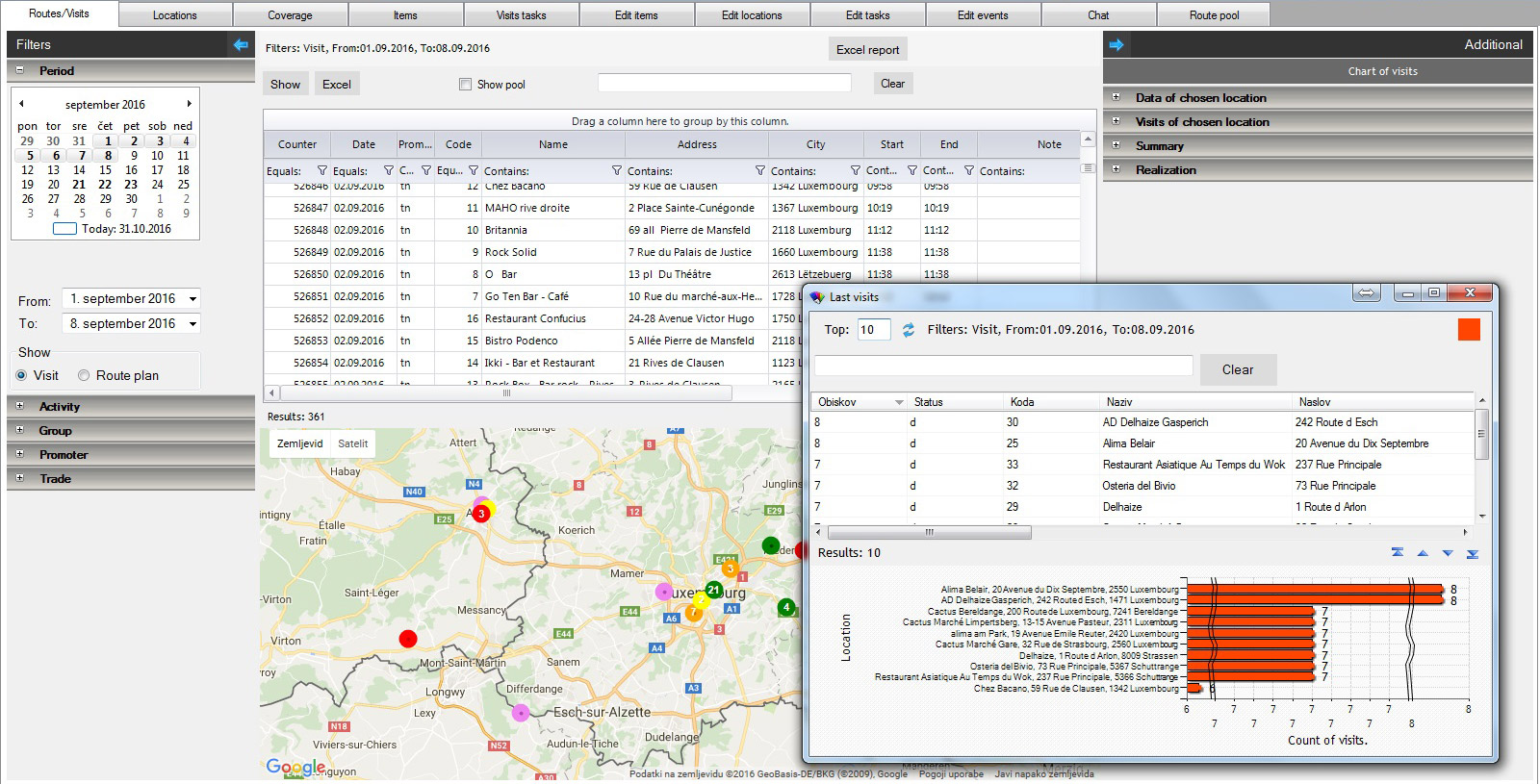
Planned routes and realized visits can be shown in a table which can be exported in Excell for other purposes or in a map with the gps coordinates of planned and visited locations. The visits are shown by filed team members, different data filtering options are available. The right side of the screen is reserved for selected indicators of the data displayed.
Defining tasks
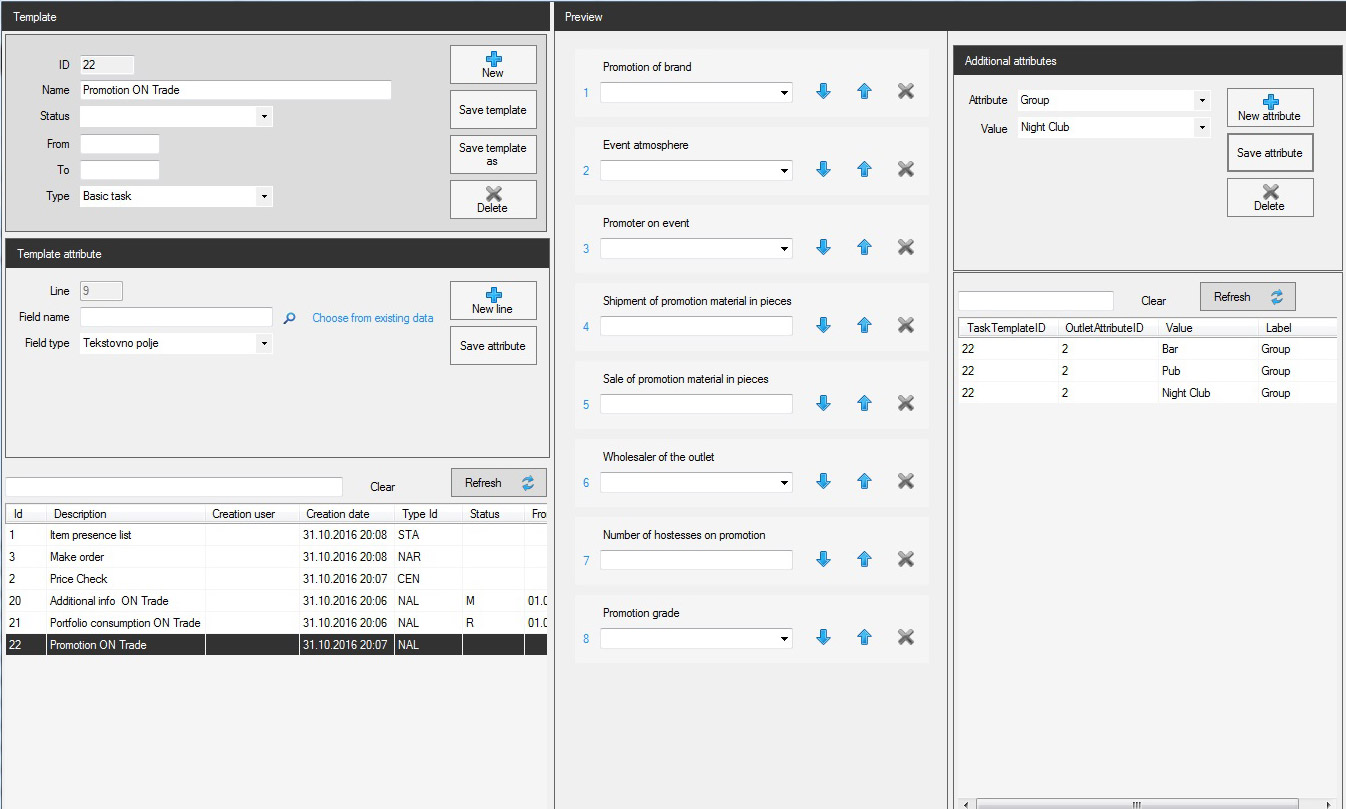
In addition to planning routes, you can define also tasks which the field team member may or must execute. You can make your own task templates and define the conditions for their appearance on visits. Tasks may be defined as mandatory, forcing the user to execute them in order to conclude the visit.
Visit review
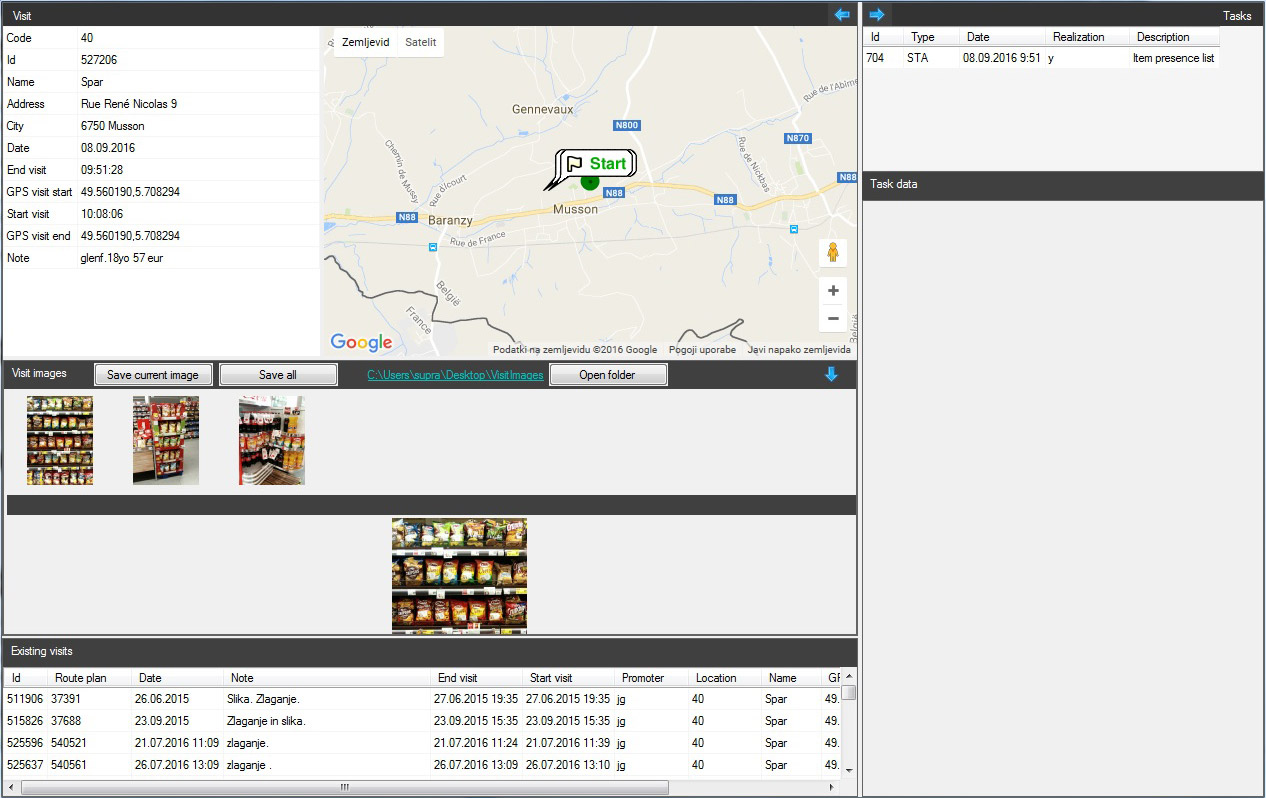
During the visit, the user can add notes about the visit, execute the mandatory and other tasks, make the list of present items, make the price check list or make an order. The order can be printedd on a mobile printer. In addition, pictures related to the visit can be made. The starting and ending time of the visit are saved by default. If the gps of the mobile device is turned on, the coordinates on the beginning and on the end of the visit are also saved.un

Outlet universe
You can look in your outlet universe through some defined attributes as the type, the category , the region as well as by a dynamic attribute as the lenght of time from the last visit. Therefore, outlets which were not visited for a long period can be put in the pool of further visits.
Outlets
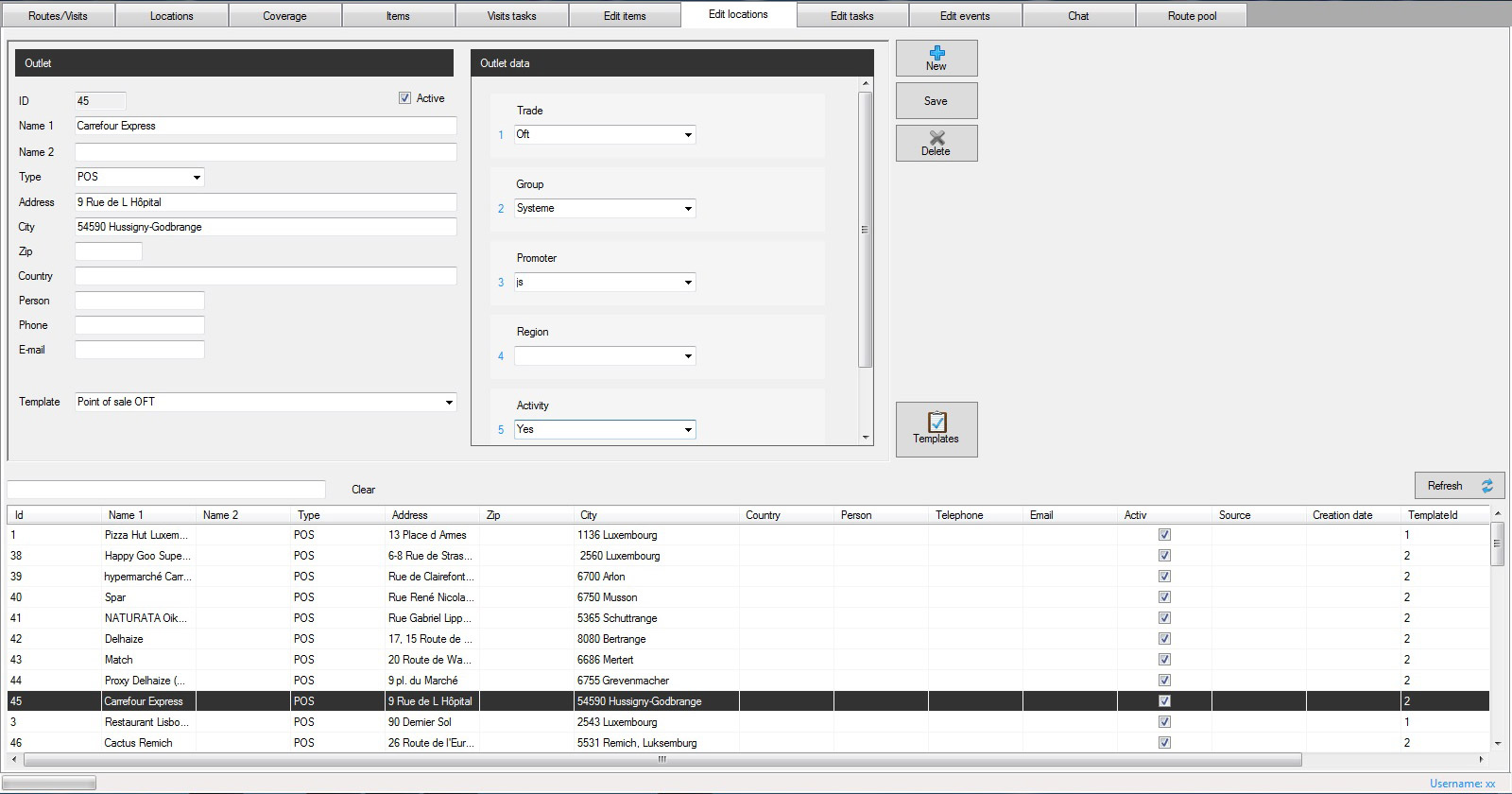
You can defined the outlet attributes on your own, depending of the industry you are following or your sector of interest. For example, you can categorize the outlets by type, size, region, trade…

Planning visits
Mobis enables you to plan and schedule your field team. From different functionalities in the application (for example, overview of visits, overview of outlets by last visit period, specific item coverage list of outlets…), you can fill the pool of visits to be scheduled for your field team.
Examples: Plan to visit all cash & carry outlets in a selected region, plan to visit all outlets where a specific item or brand is not present yet….
The purposes of the planned visits is also sent to field team. The uncompleted visits can be rescheduled or canceled.
Items
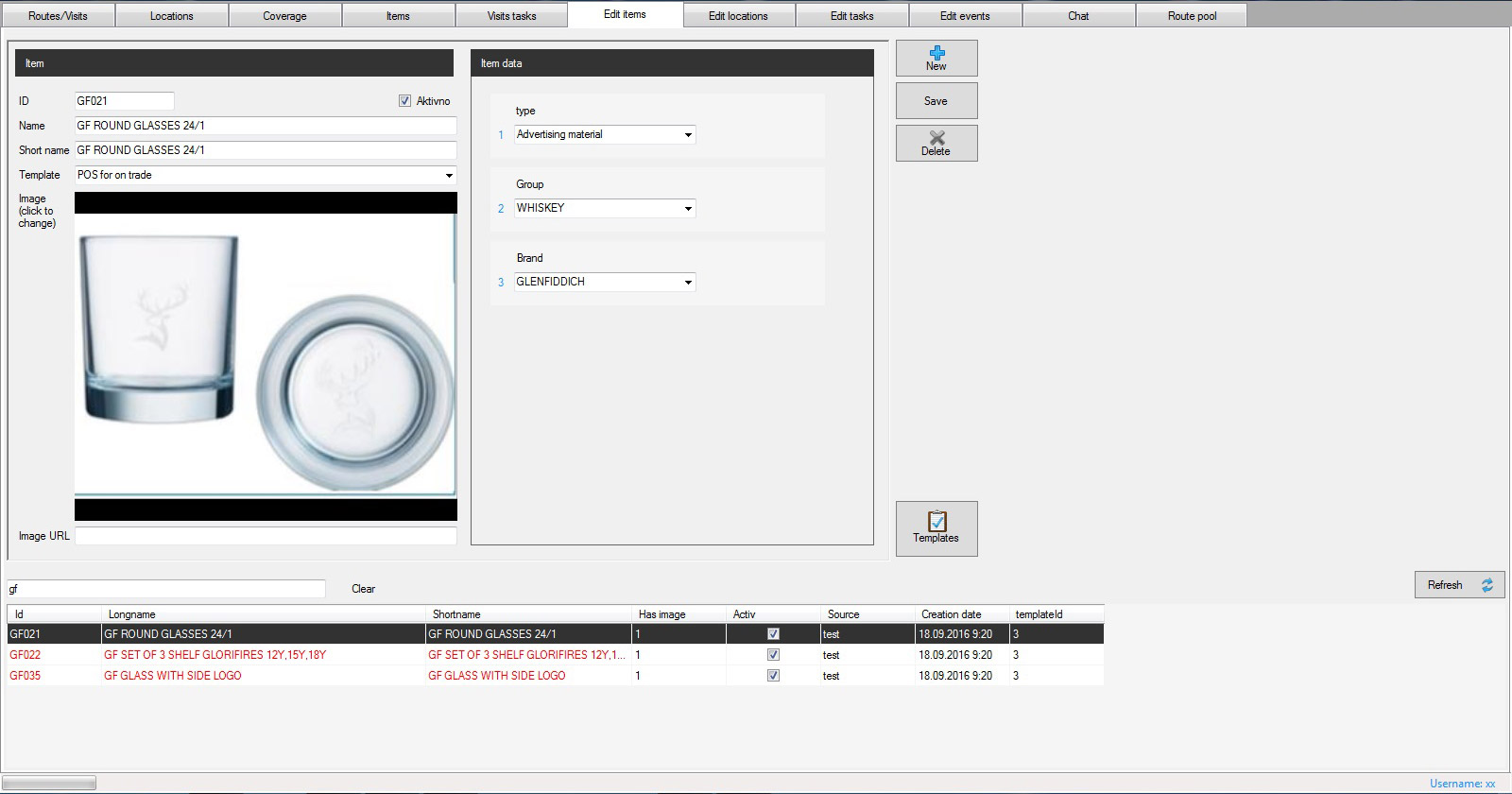
You can defined the item attributes on your own, depending of the industry you are following or your sector of interest. For example, you can categorize your items by owner (your owns , competition), type, brand, volume, size, color, price…

Item coverage
Based on the lists of item presence made during the visits, you can analyse the coverage of an item or a brand by different criteria as are outlet type, region… Outlets without data about the item presence or with outdated lists can be transferred in the pool of future visits with the purpose of making item presence lists. When you have a new item or brand, you can monitore also the number and coverage of new introductions in your outlet universe.
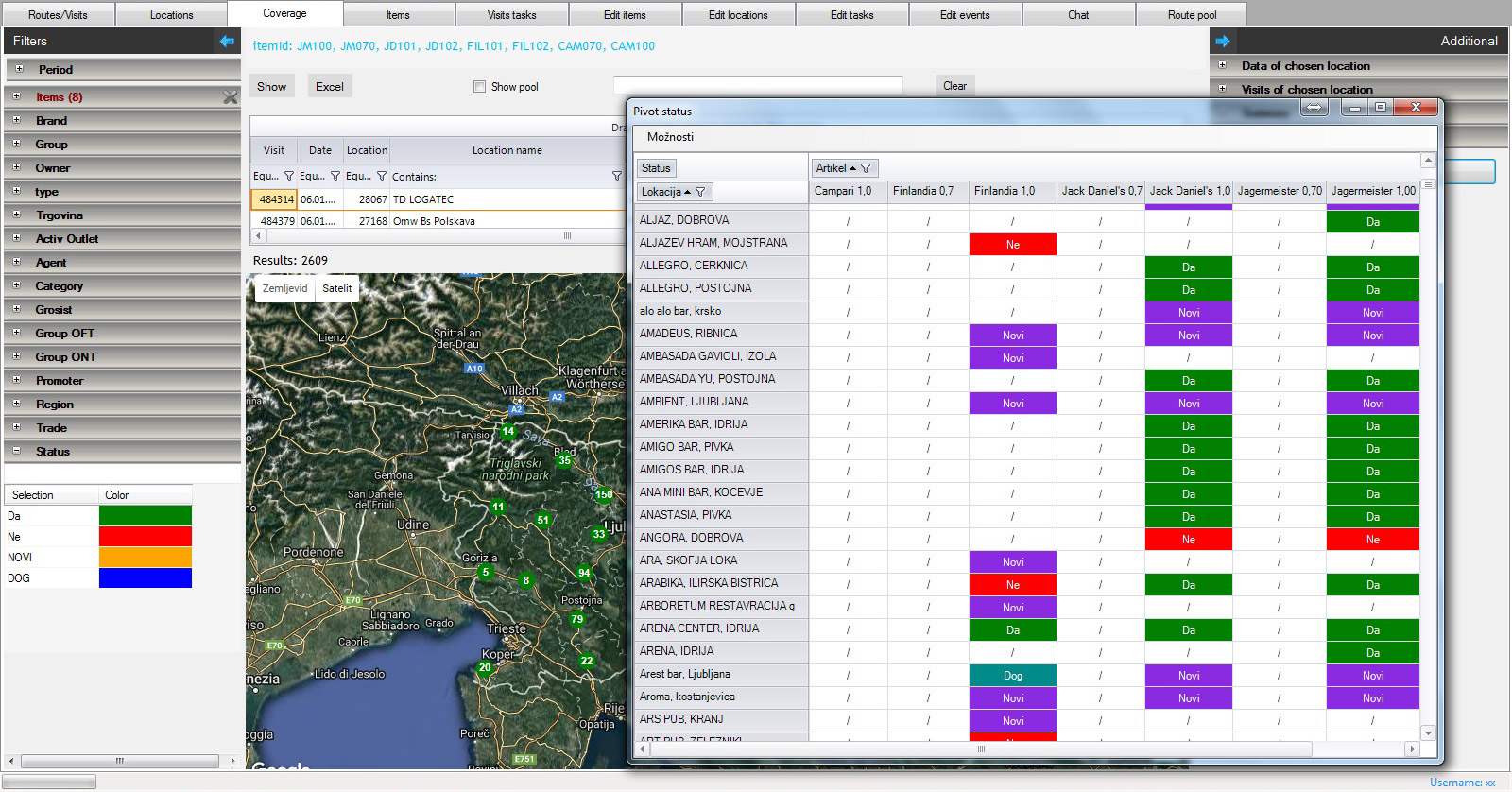
Item presence comparison
For marketing purposes, you cany follow the presence of several items (your owns or items of your competition) by outlets on the same time. The results may be exported in Excell for other purposes.
Reports and analysis
Capturing the data about locations, items, tasks and visits, allows you to have a set of reports and analysis in different sectors of your company (planning human resources, distribution, marketing, reporting to principals…)